A useful service invoice includes the provider's and customer's details, an invoice number, a description of the work, the service period, prices, the amount due, a payment deadline, and payment instructions. If the customer has already paid a deposit, show the amount received and the remaining balance clearly.
Freelancers, consultants, agencies, technicians, and service companies can use invoices to explain their charges. A clear invoice helps customers match the bill to an accepted quotation, order, or contract.
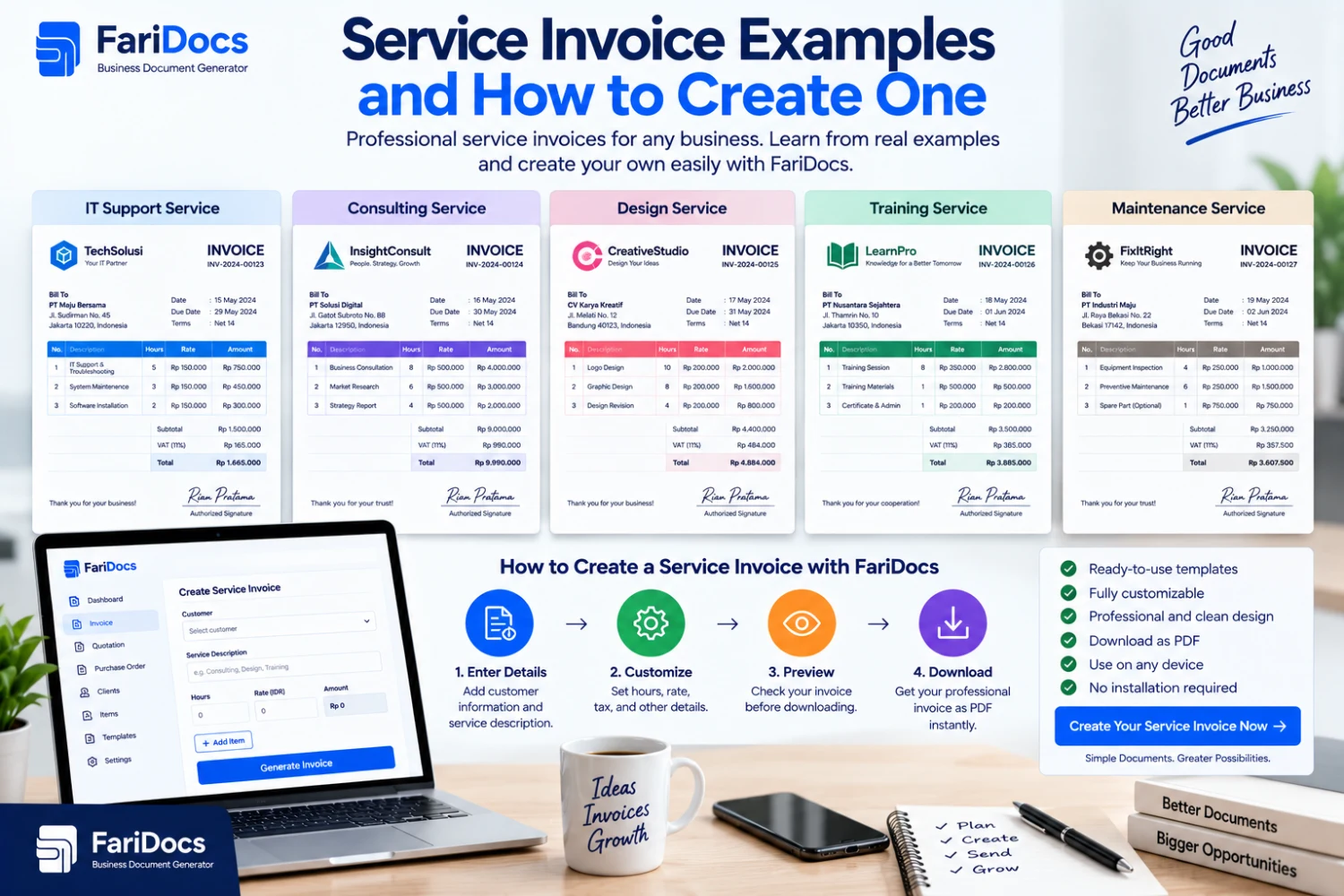
This guide provides service invoice examples for graphic design, website development, consulting, maintenance, and photography, along with a practical guide to preparing your own.
What Is a Service Invoice?
A service invoice is a billing document for work or services provided to a customer. Charges may be based on a fixed package, hours worked, sessions, a monthly service period, or a project milestone.
Unlike a product invoice, which usually identifies goods and unit quantities, a service invoice needs to describe the work being billed. “Design services” may be too vague for a customer running several projects.
For example, write “Design of a 12-page company profile for the Melati project, including two revision rounds under quotation QTN-2026-018.” This gives the customer useful context about the deliverable and the agreed scope.
An invoice details a bill; issuing it does not establish that payment has arrived. Once funds have been received and verified, record the payment and provide a receipt if needed.
What to Include in a Service Invoice
SectionInformation to includePurposeService providerBusiness or freelancer name, address, contact detailsIdentifies who issued the billCustomerCustomer or company name and billing addressDirects the bill to the correct recipientDocument detailsInvoice number and issue dateSupports retrieval and matchingWork referenceProject, quotation, PO, or contract reference where applicableConnects the bill to the agreementService detailsDescription, period or milestone, quantity, unit, rateExplains the calculationBilling summarySubtotal, applicable adjustments, total, payments received, balanceShows what remains payablePayment termsDue date and payment methodHelps the customer arrange paymentSupporting informationBilling contact and relevant attachments if neededMakes invoice review easierFor corporate customers, check the legal business name and requested PO reference with the finance team. Incorrect details may require a revised invoice before payment can be processed.
Complete Graphic Design Invoice Example
The following example is fictional and can be adapted to your business. All prices in this article are illustrative, rather than market rate recommendations. The calculations exclude taxes and tax withholding for simplicity.
SERVICE INVOICE
FieldExampleService providerStudio Reka ContohProvider address[Business address]Contact[Business email or phone number]Bill toPT Pelanggan ContohBilling address[Customer address]Invoice numberINV-2026-0098Issue date10 September 2026Due date24 September 2026ReferenceQuotation QTN-2026-018ProjectSeptember 2026 marketing materialsService descriptionQuantityUnit priceAmountDesign of a 12-page company profile, including two revision rounds1 packageIDR 2,400,000IDR 2,400,000Digital banner design3 designsIDR 200,000IDR 600,000SubtotalIDR 3,000,000Agreed discount−IDR 150,000Total after discountIDR 2,850,000Deposit received−IDR 1,000,000Balance dueIDR 1,850,000Payment instructions: [Bank name], [account number], account holder [account holder name].
Notes: Please include INV-2026-0098 as the payment reference. The IDR 1,000,000 deposit was received and verified on 3 September 2026. Contact [billing contact] with questions about the work described.
Replace every bracketed field before using this example. Adjust the scope, prices, dates, and payment terms to match your agreement with the customer.
More Service Invoice Examples
The following tables can replace the line items in the invoice format above. Include the provider and customer details, document number, due date, and payment instructions in the completed invoice.
1. Website Development Invoice
For milestone billing, identify the stage being charged so the customer can distinguish it from the full project value.
DescriptionQuantityUnit priceAmountStage 1: website structure and design, 40% of the IDR 10,000,000 project value1 milestoneIDR 4,000,000IDR 4,000,000Amount due for this milestoneIDR 4,000,000Include the contract reference and the agreed billing condition for that milestone. Bill later stages according to the agreement, without adding the entire project value as another charge on the same invoice.
2. Consulting Invoice
For time-based services, specify the period, agreed billable hours, and hourly rate.
DescriptionQuantityUnit priceAmountOperational process consulting, 1–10 September 20266 hoursIDR 500,000IDR 3,000,000Total dueIDR 3,000,000Attach a time or session summary if the customer needs one to review the bill. Make sure the duration matches the agreed work records.
3. Monthly Maintenance Invoice
For recurring services, a clear billing period distinguishes the current charge from previous months.
DescriptionQuantityUnit priceAmountWebsite maintenance for September 2026 under the agreed service package1 monthIDR 1,200,000IDR 1,200,000Total dueIDR 1,200,000Show approved work outside the package as separate line items. Do not add extra charges that have not been agreed with the customer.
4. Photography Invoice
Separate the main service from extras so the customer can review each price component.
DescriptionQuantityUnit priceAmountProduct photography within the agreed package scope1 sessionIDR 1,500,000IDR 1,500,000Approved additional editing10 photosIDR 25,000IDR 250,000Total dueIDR 1,750,000Include the session date or project name. Reference the quotation for details such as final image quantities and revision allowances to keep the invoice readable.
How to Calculate a Service Invoice with a Deposit
Follow a clear calculation sequence:
Multiply each service quantity by its unit price.
Add the line items to calculate the subtotal.
Apply agreed discounts or other relevant adjustments.
Record payments that have actually been received.
Show the remaining amount payable.
In the design example, IDR 3,000,000 less the IDR 150,000 discount gives a total of IDR 2,850,000. Subtracting the IDR 1,000,000 deposit received leaves IDR 1,850,000 due.
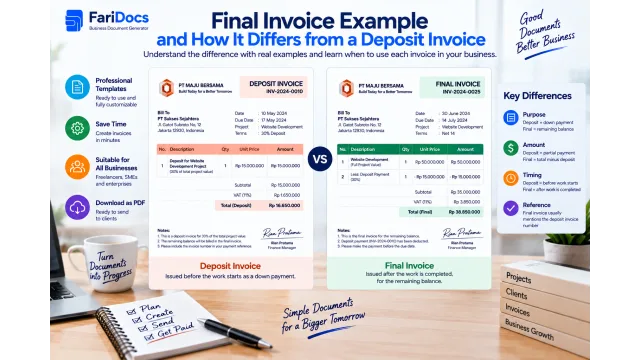
A deposit is not a discount. A discount reduces the transaction price, while a deposit is a payment toward the bill. Keep them separate in the invoice summary.
Use a consistent billing approach: either show the work value less payments received, or bill individual milestones. Avoid charging the same amount again when issuing a final invoice.
How to Create a Service Invoice Online with FariDocs
1. Prepare the Customer Details and Agreement
Gather customer information, the accepted quotation, service descriptions, prices, and payment terms. For corporate clients, check whether a PO reference or supporting documents are needed.
2. Open the Invoice Generator
Open the FariDocs invoice generator in your browser and prepare the document for the transaction you are billing.
3. Enter the Parties and Invoice Number
Add the provider and customer details. Use a unique invoice number, such as INV-2026-0098, and enter the issue date and agreed due date.
4. Add the Service Line Items
Describe the work, service period or milestone, quantity, and price. Use suitable units such as package, hour, session, month, or design. Add the work reference in the available description or notes.
5. Check the Total and Previous Payments
Match the calculation against the quotation and payment records. If there is a deposit, verify receipt and show it separately from discounts. Make sure the final amount does not charge the customer again for that payment.
6. Download the PDF and Send It
Review the invoice, download the PDF, and open the file to check that all details are readable. Send it by email or through the channel agreed with the customer.
Use an identifiable filename such as INV-2026-0098-PT-Pelanggan-Contoh.pdf. Keep a copy for future questions or revision requests.
Sample Email for Sending a Service Invoice
Subject: Invoice INV-2026-0098 – Marketing Material Design Services
Dear PT Pelanggan Contoh Finance Team,
Please find attached invoice INV-2026-0098 for marketing material design services under quotation QTN-2026-018.
The total after discount is IDR 2,850,000. After deducting the IDR 1,000,000 deposit received, the outstanding balance is IDR 1,850,000, due on 24 September 2026.
Please confirm receipt of this invoice. Let us know if you need any additional billing information or supporting documents.
Thank you.
Studio Reka Contoh
Frequently Asked Questions
Can freelancers issue service invoices?
Yes. Freelancers can identify themselves as the service provider and include their contact details, work description, and payment instructions for the transaction.
When should a service invoice be sent?
Follow the customer agreement. Billing may cover a deposit, project milestone, completed work, or a defined service period. Discuss changes before departing from the agreed billing schedule.
What is the difference between a service invoice and a quotation?
A quotation proposes services and prices to a prospective customer. An invoice bills for the agreed transaction. Referencing the quotation helps connect the two documents.
How do I write a monthly service invoice?
Include the service name, billing month and year, package fee, and approved extras. Use a different invoice number for each bill to distinguish the payment periods.
Should an invoice for Indonesian customers be in English?
Choose a language the customer understands. Indonesian suits many domestic transactions, while English may be appropriate for international customers. Identify the currency clearly in either version.
What should I do after the customer pays?
Verify the incoming funds, match the payment to the invoice, and record the amount received and any remaining balance. Prepare a FariDocs payment receipt if the customer needs acknowledgment of the payment.
Create your service invoice with FariDocs. Describe the work clearly, check the amount due, and download the PDF to send to your customer.