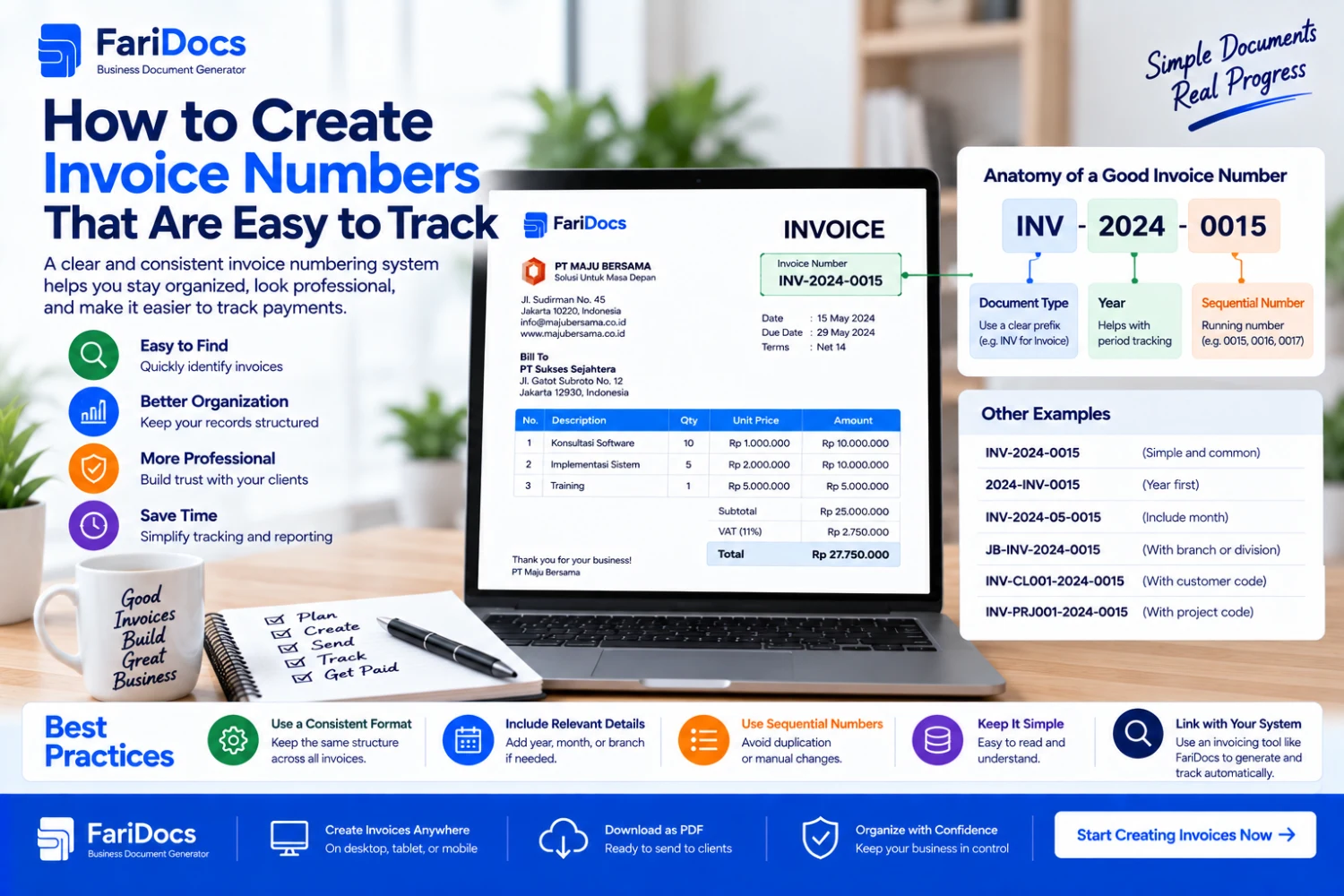
To create clear invoice numbers, choose a fixed format, use a sequence, define when it resets, and record every number issued. A simple example is INV-2026-0001, combining the document prefix, year, and sequential number.
Invoice numbers help you retrieve bills, match payments, and answer customer questions. They do not need to be long. Each complete number should clearly identify one invoice within the issuer's records.
This guide covers commercial invoice numbering for business administration, with examples for freelancers, small businesses, shops, distributors, and companies.
What Is an Invoice Number?
An invoice number identifies a billing document. It can contain numbers alone or a combination of letters, numbers, and separators.
For example, INV-2026-0042 identifies invoice 0042 in the 2026 series. It remains the reference when the invoice is sent, paid, retrieved, or discussed with the customer.
Keep it distinct from other references:
ReferencePurposeInvoice numberIdentifies the billing documentPO numberIdentifies the customer's purchase orderProject numberConnects documents within the same projectPayment referenceIdentifies a payment transactionA single PO can lead to several invoices, and one invoice can receive several payments. Store each reference separately and link them in your transaction records.
Invoice Number Format Examples
FormatExampleUsePrefix and continuous sequenceINV-000001One sequence without an annual resetPrefix, year, and sequenceINV-2026-0001A new sequence each yearPrefix, year, month, and sequenceINV-2026-09-0001A new sequence each monthPrefix, branch, year, and sequenceINV-JKT-2026-0001Separate sequences for branchesFor a business with one issuer, INV-2026-0001 is a simple starting point. Add a month or branch code only if it improves recordkeeping.
The number INV-2026-09-0001 contains:
INV: the invoice document prefix.
2026: the issue year.
09: September.
0001: the first sequential number in that month's series.
Leading zeros provide consistent width. For example, 0009, 0010, and 0100 are easier to compare when records are sorted as text using equally wide numeric components.
How to Create an Invoice Numbering System
1. Define Your Series
Decide whether all invoices share one sequence or have separate branch sequences. If using several series, document their codes.
For example, INV-JKT-2026-0001 and INV-BDG-2026-0001 are different complete numbers. The branch code forms part of the identifier rather than simply being an extra note.
2. Choose a Consistent Structure
Use the same order of components, such as INV-YEAR-SEQUENCE. Uppercase letters and a consistent separator make references easier to type and search.
Avoid switching between INV-2026-0001, 002/INV/26, and Invoice003 without a defined rule.
3. Choose the Sequence Width
Four digits provide numbers 0001 through 9999 within a numbering period. If volume could exceed that, start with five or six digits.
When you reach the limit, extend the width in a controlled way. Do not restart at 0001 within the same series and period, which could create duplicates.
4. Define Period Changes
Specify whether the sequence runs continuously or resets each year or month. When resetting, include the relevant period in the complete number to prevent repetition.
Use the invoice issue date consistently for the numbering period. Record the service period, due date, and payment date in their own fields.
5. Register the Number before Sending
Check the latest allocated number, assign the next one, and record that allocation before preparing or sending the final document. After INV-2026-0042, the next example number is INV-2026-0043.
For teams, appoint one person to allocate numbers or use a centralized system that prevents simultaneous duplicate allocation. Two people checking the same latest number can otherwise select the same next number.
6. Reuse the Reference Consistently
Use the invoice number on the document, email subject, filename, and requested transfer reference. This helps customers and finance staff match records.
An example filename is INV-2026-0042-PT-Pelanggan.pdf. Keep payment status outside the invoice number because status can change.
Numbering across Months and Years
PolicyLast numberNext numberAnnual sequence, September to OctoberINV-2026-0098INV-2026-0099Annual sequence, December to JanuaryINV-2026-0320INV-2027-0001Monthly sequence, September to OctoberINV-2026-09-0042INV-2026-10-0001Monthly sequence, December to JanuaryINV-2026-12-0038INV-2027-01-0001Continuous sequence across yearsINV-000320INV-000321An annual sequence continues across month changes. In a monthly series, the year and month distinguish numbers even when the sequence returns to 0001.
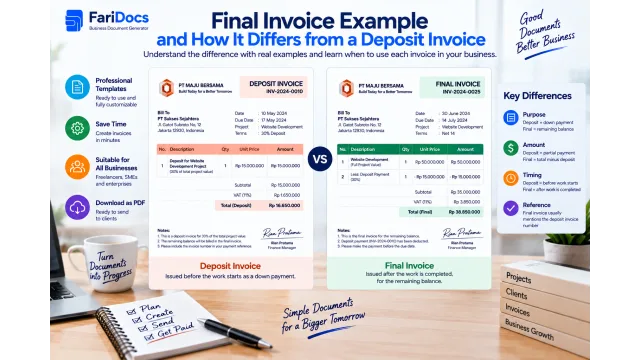
Numbering Deposit, Milestone, and Final Invoices
A simple approach uses one invoice sequence and records the billing type separately.
Invoice numberBilling typeProject referenceINV-2026-004230% depositPRJ-2026-0012INV-2026-0057Second installment: 40%PRJ-2026-0012INV-2026-0071Final payment: 30%PRJ-2026-0012The project's invoice numbers need not be consecutive because other customers' invoices may be issued between them. The project reference connects the documents.
If using separate series such as INV-DP-2026-0001 and INV-FINAL-2026-0001, define each sequence explicitly. Do not switch between a shared sequence and multiple series without updating the documented policy.
Handling Revised and Canceled Invoices
Correcting the Same Document
For an administrative correction that does not create a new bill, your internal procedure can retain the base number and track a revision, such as invoice INV-2026-0042, revision 01. Tell the customer that the latest version replaces the earlier one.
Retain the previous version and the reason for the change. A revision label does not create another sale. Changes to amounts on an already processed invoice should follow the business's correction procedure and the customer's requirements.
Cancellation
Mark an issued number as canceled and record the reason and date. To preserve the administrative history, do not reuse that number for an unrelated transaction.
If a replacement invoice is needed, give it a new number and reference the canceled document. Tell the customer which document to process.
Skipped Numbers
Investigate a skipped number and record the explanation. Avoid renumbering documents already sent simply to make the sequence appear tidy.
Example Invoice Register
NumberDateCustomerReferenceAmountStatusINV-2026-004217 September 2026PT Contoh APO-0087IDR 3,000,000UnpaidINV-2026-004317 September 2026PT Contoh BPRJ-0014IDR 2,500,000PaidINV-2026-004418 September 2026PT Contoh CPO-0090IDR 1,000,000CanceledThis is an illustrative internal register. Add due dates, payments received, balances, issuer, revision, cancellation reason, and PDF location as needed.
A shared register helps checking but does not automatically prevent two people from assigning the same number. Define an allocation process as well. In spreadsheets, store invoice numbers as text to preserve their format.
Entering Invoice Numbers in FariDocs
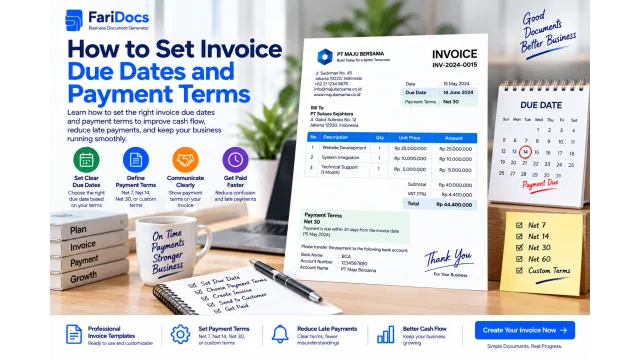
The FariDocs invoice generator allows manual editing of the invoice number. Match it to your business series, review the preview, and download the PDF.
Follow this process:
Check the register to confirm that the next number is unused.
Allocate it under your team's procedure.
Enter it in the document identity section.
Complete the customer, dates, order reference, and billing details.
Match the downloaded PDF number to the register before sending.
Track delivery and payments against that same invoice.
Reconcile any number displayed in the form with your records. A displayed number alone should not be assumed to guarantee a centralized sequence or uniqueness across users and devices.
Common Numbering Mistakes
Reusing a number for different bills within the same issuer's series.
Resetting the sequence without a year or month to distinguish it.
Changing the number when payment status changes.
Using customer names or phone numbers instead of a sequence.
Deleting canceled invoice records.
Assigning a new number whenever the same PDF is downloaded or resent.
Adding so many codes that the reference becomes hard to read and type.
Frequently Asked Questions
Must an invoice number begin with INV?
Not for the administrative format discussed here. INV is recognizable, but another prefix can work under a clear and consistent internal policy.
Must the sequence start at 0001?
No. You can continue from the last number when changing tools. Define the starting point and check it against previous documents.
Can invoice numbers contain slashes?
Slashes can appear in document references, but may cause problems in filenames. Hyphens make it easier to use the same form in the invoice and PDF filename.
Does resending an invoice require a new number?
No, if it is the same document. Keep the original number and explain that you are resending a copy rather than issuing another bill.
What if two invoices already share a number?
Review the transactions and versions sent or paid. Resolve their identities through a documented correction, map old and new references, and notify the affected customers. Do not silently overwrite the records.
Is this the same as numbering Indonesian tax invoices?
This guide concerns commercial invoice identifiers. Do not use its examples as instructions for tax document numbering; handle tax references through the applicable business process.
Create your invoice with FariDocs using your business's numbering rules. A consistent format, maintained register, and matching payment references make each bill easier to track.