A professional invoice includes the seller’s and customer’s details, an invoice number, dates, itemized charges, a total, a payment deadline, and payment instructions. The details should suit the transaction: a goods invoice focuses on quantities and prices, while a service invoice also identifies the scope of work or service period.
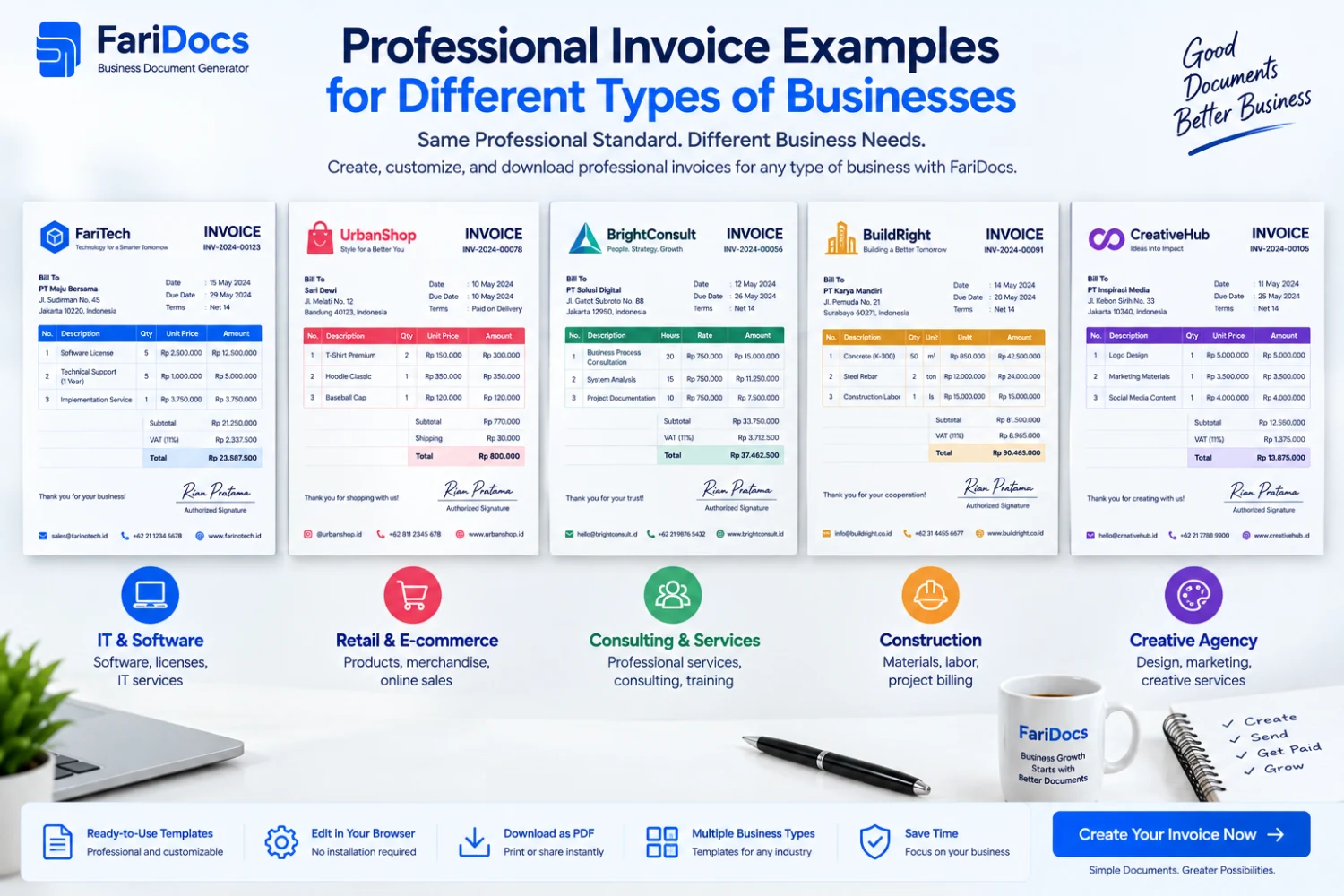
This guide provides eight examples for retailers, freelancers, consultants, caterers, rental businesses, software resellers, website developers, and contractors. Adapt the relevant details and prepare your document with the FariDocs invoice generator.
All names, prices, document numbers, and transactions below are illustrative. Calculations exclude taxes and tax withholdings for clarity; adjust these components to the actual transaction and applicable requirements. Shipping is included only where stated. Amounts are in Indonesian rupiah, using English number formatting.
Choose an Invoice Example for Your Business
Business typeInvoice exampleDetails to emphasizeRetailer or distributorGoods invoiceSKU or description, units, quantities, and deliveryFreelancer or agencyDesign invoiceDeliverables, service packages, discounts, and depositsConsultantConsulting invoiceHours, rates, service period, and reportsCatererEvent catering invoiceServings, event date, and locationRental businessEquipment rental invoiceEquipment quantity, duration, and rental rateSoftware resellerDigital license invoiceProduct, edition, quantity, and license termWebsite developerFinal website invoiceProject reference, total value, and depositContractorProgress invoiceContract, milestone, and amount billedA Basic Professional Invoice Format
Start with this structure before adapting the line items to your business.
SectionSuggested informationSellerBusiness name, address, and contact detailsCustomerBilled party’s name and billing addressInvoice identityUnique number, issue date, and due dateReferencePurchase order, quotation, contract, or order numberLine itemsDescription, quantity, unit, unit price, and amountSummarySubtotal, discounts, additional charges, and totalPaymentsMoney already received and balance dueInstructionsDestination account, beneficiary, and transfer referenceNotesService period, terms, or supporting documentsA logo can identify your business, but readable transaction details matter more than decorative elements. Make the amount payable easy to find.
1. Goods Invoice Example for Retailers and Distributors
List product names, quantities, units, and prices separately. Include the brand, model, or SKU when needed to help the customer match the bill to the order.
INVOICE
InformationSample entrySellerSample Supplies StoreSeller’s address[Full business address]Seller’s contact[Business email or phone number]Bill toSample Customer CompanyBilling address[Customer address]Invoice numberINV-BRG-2026-001Invoice dateSeptember 6, 2026Due dateSeptember 20, 2026Order referencePO-CONTOH-001DescriptionQuantityUnit priceAmountUSB keyboard5 unitsIDR 150,000IDR 750,000Mouse pad10 unitsIDR 25,000IDR 250,000SubtotalIDR 1,000,000ShippingIDR 50,000Invoice totalIDR 1,050,000Payment receivedIDR 0Balance dueIDR 1,050,000Payment instructions: [Bank name] — [Business account number] — [Beneficiary name]. Quote INV-BRG-2026-001 in the transfer reference.
Note: Billing refers to PO-CONTOH-001. Include a delivery note reference if available and required by the customer.
The remaining examples still require seller and customer details, dates, and payment instructions using the same structure. Their tables are shortened to emphasize the differences in billing details.
2. Service Invoice Example for Freelancers and Design Agencies
A freelance invoice should identify the agreed deliverables. For packaged services, describe what the package covers or reference the approved quotation.
Invoice number: INV-DSN-2026-001
Reference: Customer-approved design quotation Q-2026-015
Identify the scope, delivered work, and approval reference. Do not add revision charges that were not agreed upon. A discount reduces the service price; a deposit reduces the remaining payment.
3. Hourly Consulting Invoice Example
For time-based services, show the billable hours and hourly rate. Include a work summary if the customer requires one.
Invoice number: INV-KON-2026-001
Service period: September 1–5, 2026
This example assumes that the report fee was agreed separately from the consulting rate. Avoid charging separately for work already included in the hourly fee. A timesheet can help organize the time details where relevant.
4. Catering Invoice Example for a Corporate Event
A catering invoice should identify the number of servings, menu package, event date, and delivery charges. Confirm changes to the order quantity before adjusting the bill.
Invoice number: INV-CAT-2026-001
Event: Company meeting, September 15, 2026
Location: [Customer’s event location]
Include the delivery time and receiving contact in the notes. Set the balance payment deadline according to the agreement, whether before the event or after receipt of the order.
5. Equipment Rental Invoice Example
A rental invoice needs to show how equipment quantities, rental duration, and rates relate. “Projector rental” alone does not explain the calculation.
Invoice number: INV-SEWA-2026-001
Period: September 10–12, 2026, counted as 3 rental days under the agreement
State the return deadline and equipment identifiers where needed. If a refundable security deposit applies, explain it separately from the rental fee, including its return conditions. This example excludes a security deposit.
6. Software and Digital License Invoice Example
For software resellers, a product name alone may not be enough. Buyers need to understand the edition, license type, number of users or devices, and purchased term.
Invoice number: INV-SW-2026-001
Reference: PO-SW-CONTOH-001
The product and prices are entirely illustrative. For real transactions, use the official product name, correct license type, and vendor-confirmed license start date. Explain digital delivery without putting passwords or confidential activation keys on the invoice.
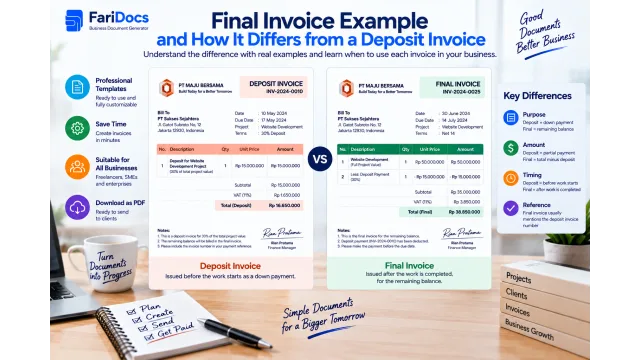
7. Final Invoice Example for Website Development
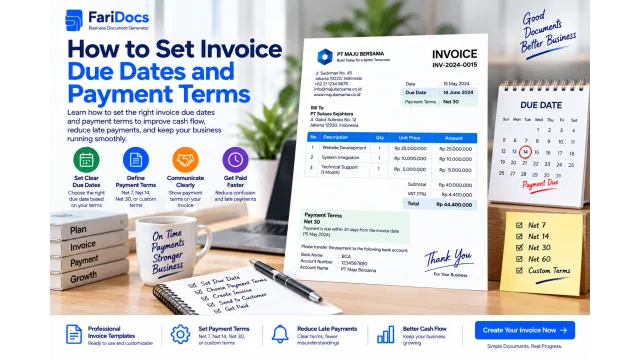
When requesting the final payment, show the project value and money already received. Use a reference that connects the invoice to the original contract or quotation.
Invoice number: INV-WEB-2026-001
Reference: Company website project WEB-CONTOH-001
This format shows the full project value and applies the deposit as a payment. If a deposit invoice was issued earlier, reference it and ensure your internal records do not count the sale twice. Include additional work only when it has been agreed upon.
8. Project Progress Invoice Example
A progress invoice bills for a specific contractual milestone. Distinguish the total contract value, the milestone currently being billed, and payments for other milestones.
Invoice number: INV-PRY-2026-002
Reference: Contract PROYEK-CONTOH-001
Billing basis: The second milestone has been approved according to the progress documentation
Suppose the first milestone of IDR 20,000,000 was invoiced and paid separately. Do not deduct that payment again from the second milestone: it covers a different stage. After the second milestone is paid, cumulative payments total IDR 60,000,000, leaving IDR 40,000,000 for subsequent work under the contract.
This example excludes retention and advance-payment recovery. Show those adjustments explicitly if the contract requires them. Attach a progress report or handover certificate when required for billing.
How to Adapt an Invoice Example to Your Business
Choose the example closest to your transaction.
Replace illustrative identities with accurate seller and customer details.
Describe the items according to the order, approved scope, or contract.
Check quantities, units, prices, discounts, and additional charges.
Record only verified payments.
Set the agreed payment deadline and destination.
Review the finished document before sending it.
With the FariDocs invoice generator, you can enter transaction details, customize the logo and document number, review calculations, and download a PDF. Tax, discount, shipping, and payment options are available when needed.
You can share the PDF by email or WhatsApp. Creating a document does not itself verify payment. Once the funds have been received and checked, prepare a payment receipt if required.
Mistakes That Make Invoices Harder to Process
Vague descriptions: identify the product, service period, or deliverable.
Unclear units: distinguish items, hours, days, packages, servings, and licenses.
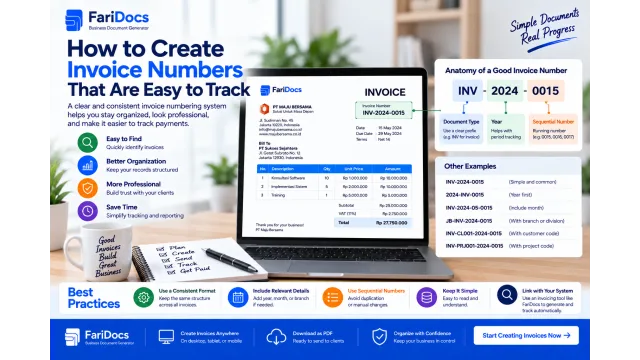
Repeated invoice numbers: give different bills traceable identities.
Deposits entered as discounts: keep price reductions separate from payments.
Mixed milestones: do not deduct another stage’s payment from the current invoice without a contractual basis.
Missing references: include the purchase order or contract when required.
Incorrect bank details: check both the account number and beneficiary.
Frequently Asked Questions About Invoice Examples
Can every business use the same invoice format?
The basic structure can be shared, but transaction details should differ. Rental invoices need duration, consulting invoices need hours or scope, and software invoices need license details.
Should an invoice include a due date?
For clear administration, include the agreed due date or payment terms. Avoid wording that leaves the customer guessing when payment is expected.
How should a deposit appear on an invoice?
Show the transaction total, the verified deposit received, and the balance due. Make sure the same deposit is not deducted twice.
Is an invoice the same as a receipt?
An invoice itemizes charges; a receipt acknowledges a payment. Sending an invoice does not prove that the customer has paid it.
Can these examples be turned into PDF invoices?
Yes. Enter your actual transaction details in an invoice generator, review the result, and download the PDF. The example tables are filling guides, not completed invoices for real transactions.
Is creating an invoice with FariDocs free?
The public invoice generator provides free invoice creation and PDF downloads. For business management with a team, review the available FariDocs Workspace plans.
Choose an example, prepare your transaction details, and create a professional invoice with FariDocs.