
Proforma Invoice vs Invoice: What Is the Difference?
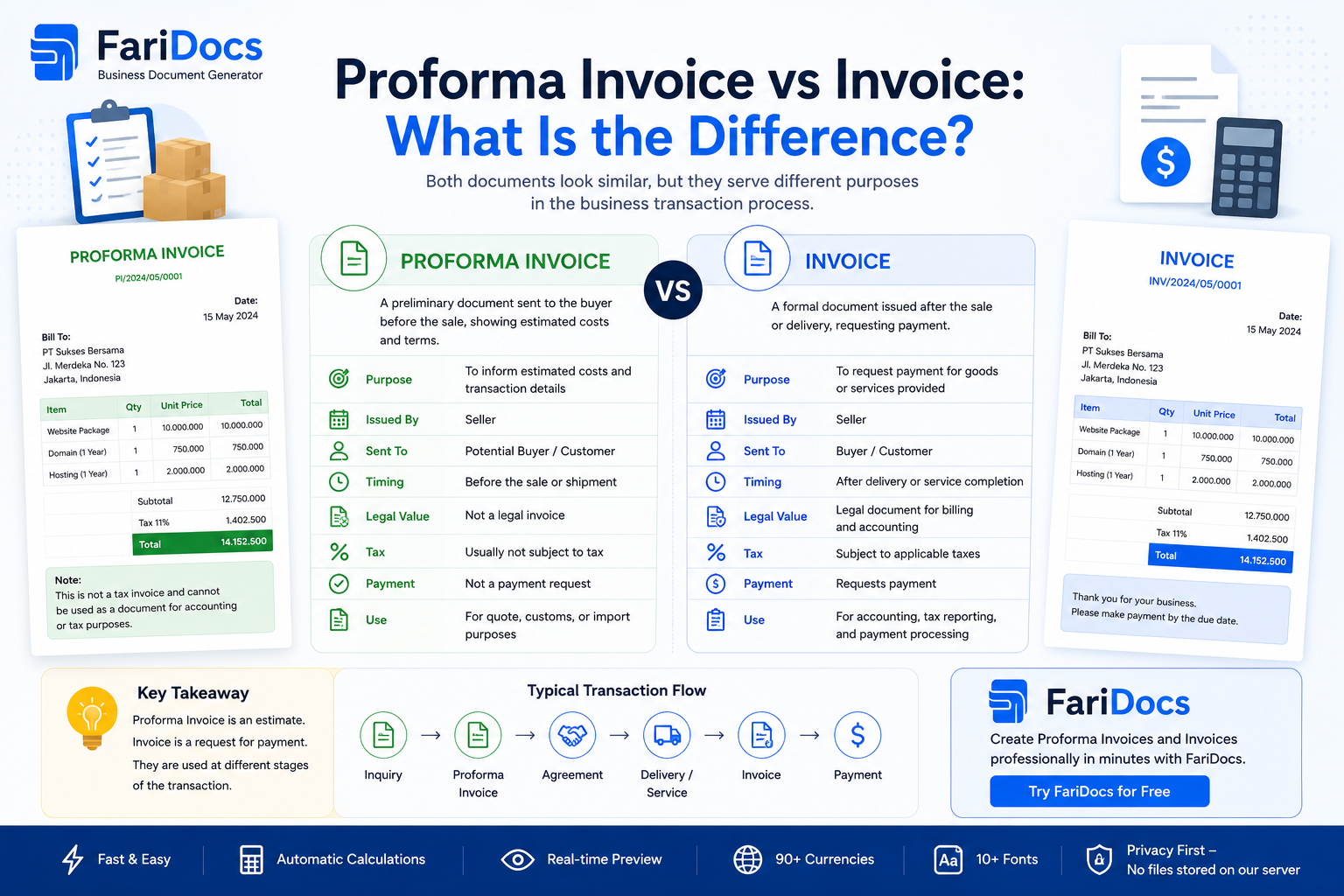
A proforma invoice and an invoice may look similar, but they serve different purposes and are generally used at different stages of a business transaction.
In simple terms:
Proforma Invoice = A preliminary document outlining an expected transaction.
Invoice = A billing document requesting payment for a transaction.
Understanding the difference between a proforma invoice and an invoice is important for businesses that want to maintain accurate transaction records, improve communication with customers, and create a more structured sales workflow.
With a SaaS platform such as FariDocs, businesses can create professional Proforma Invoices and Invoices online and connect them to a broader document and transaction workflow.
What Is a Proforma Invoice?
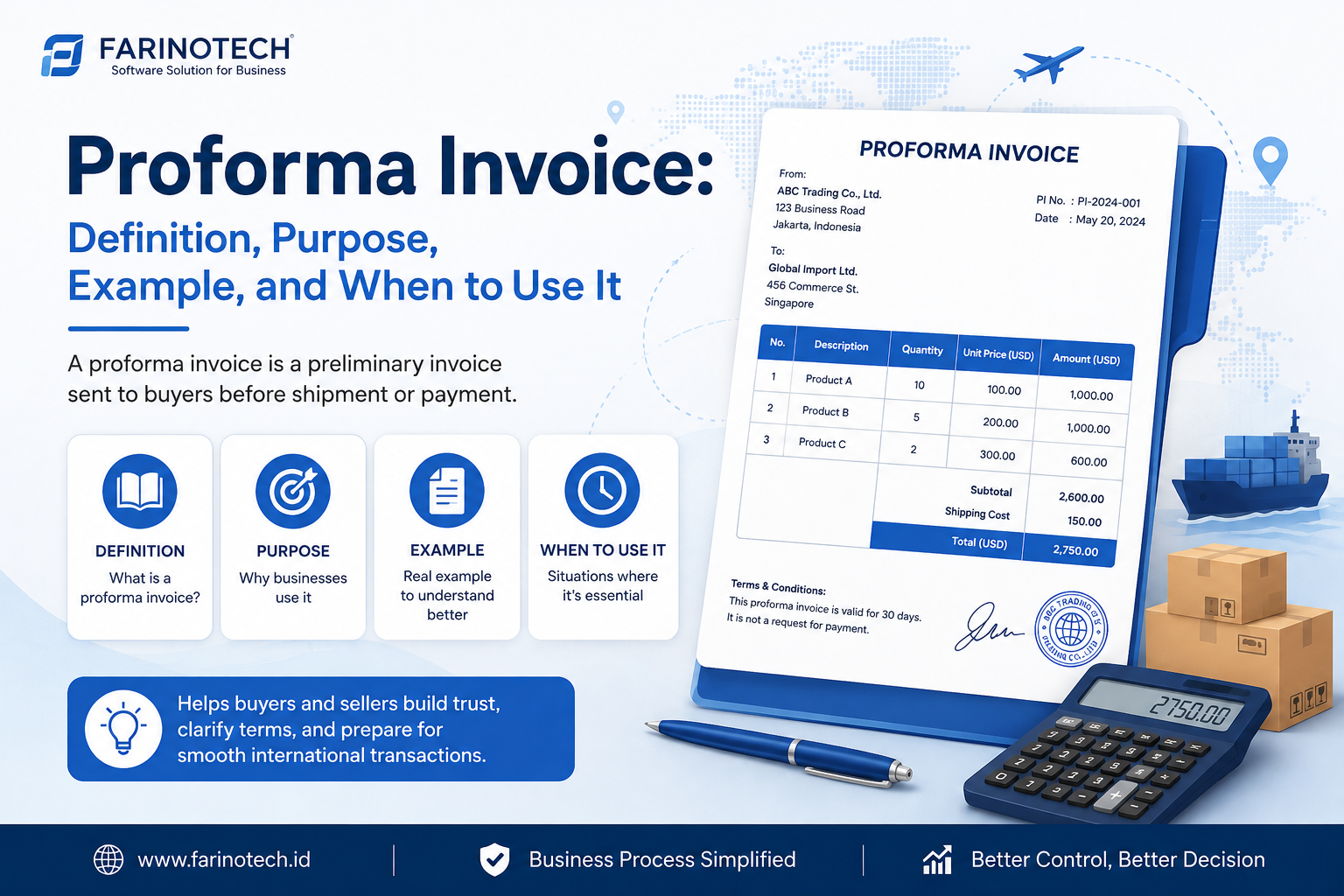
A proforma invoice is a preliminary document issued by a seller to a prospective buyer before a final invoice is issued.
It provides information about an expected transaction, which may include:
- Seller information
- Customer information
- Products or services
- Description
- Quantity
- Unit price
- Discount
- Taxes
- Additional charges
- Estimated total
- Payment terms
- Shipping information
A proforma invoice allows the customer to review the transaction details before the transaction reaches the final billing stage.
It should therefore be distinguished from a final invoice.
What Is an Invoice?
An invoice is a billing document issued by a seller to a customer requesting payment for goods or services according to the agreed transaction.
An invoice commonly contains:
- Invoice number
- Invoice date
- Seller information
- Customer information
- Products or services
- Quantity
- Unit price
- Discounts
- Taxes
- Total amount due
- Payment terms
- Due date
- Payment information
Once issued, the invoice becomes an important reference for the payment process.
Proforma Invoice vs Invoice: Key Differences
Here is a simple comparison between a proforma invoice and an invoice:
FeatureProforma InvoiceInvoicePrimary purposeProvide preliminary transaction detailsRequest paymentTransaction stageBefore final invoicingBilling stageStatusPreliminaryFinal billing documentDocument numberProforma Invoice numberInvoice numberPaymentMay support advance-payment arrangementsUsed as a billing referenceChangesUsually easier to adjust before finalizationChanges should be managed more formallyMain roleTransaction confirmationBillingNext stepMay be converted into an InvoicePayment and receiptIn simple terms:
Proforma Invoice → "Here are the proposed or expected transaction details."
Invoice → "Here is the amount you are required to pay."
Proforma Invoice Example
Imagine a software company receives an order for 10 business software licenses.
Before issuing the final invoice, the company creates:
PROFORMA INVOICE
Number: PI-2026-00125
Date: August 22, 2026
Customer: Digital Business Ltd.
Subtotal: $1,500
Tax: As applicable
Estimated Total: $1,500 + applicable taxes
Payment Terms: Bank Transfer
Validity: 14 Days
The customer can review these transaction details before the final invoice is issued.
Invoice Example
Once the transaction is confirmed and reaches the billing stage, the seller can issue:
INVOICE
Invoice Number: INV-2026-00125
Reference: PI-2026-00125
Customer: Digital Business Ltd.
Subtotal: $1,500
Tax: As applicable
Amount Due: $1,500 + applicable taxes
Payment Method: Bank Transfer
Due Date: According to the agreed payment terms
The invoice becomes the customer's reference for payment.
When Should You Use a Proforma Invoice?
Businesses can use proforma invoices in several situations.
Before Finalizing a Transaction
A customer may need a formal breakdown of the expected transaction before providing final confirmation.
For Advance Payments
Some businesses use a proforma invoice as a reference when requesting a deposit or advance payment, depending on the transaction terms and applicable requirements.
For International Transactions
Proforma invoices are commonly encountered in international trade to communicate transaction details before final commercial documentation is issued.
To Confirm Transaction Details
Customers can verify:
- Products
- Quantities
- Prices
- Taxes
- Shipping information
- Payment terms
before the final billing process begins.
When Should You Use an Invoice?
An invoice is generally issued when the transaction reaches the billing stage.
A typical workflow might look like this:
Quotation
↓
Customer Acceptance
↓
Sales Order
↓
Delivery / Service
↓
Invoice
↓
Payment
↓
Payment Receipt
For businesses using proforma invoices:
Quotation
↓
Customer Confirmation
↓
Proforma Invoice
↓
Transaction / Payment Confirmation
↓
Invoice
↓
Payment Receipt
The exact workflow can vary depending on the company's business model.
Is a Proforma Invoice the Same as a Quotation?
No. Although both documents can appear before the final invoice, they typically serve different business purposes.
QuotationProforma InvoicePrimarily presents an offerPresents preliminary transaction detailsOften used before customer acceptanceOften used when a transaction is closer to confirmationCommonly includes a validity periodMay include validity and payment informationCan lead to a Sales OrderCan lead to a final InvoiceFor example:
Lead → Quotation → Accepted → Sales Order → Proforma Invoice → Invoice → Payment
Not every business needs every step.
The workflow should be configurable according to how the company operates.
Why Do Businesses Need Both Documents?
Properly managing proforma invoices and invoices can provide several advantages.
Clearer Communication
Customers can review transaction details before final billing.
Better Document Classification
Preliminary documents and billing documents remain clearly separated.
Improved Transaction Tracking
Businesses can understand where each transaction is in the sales process.
Less Duplicate Data Entry
Information from a proforma invoice can be reused when generating the final invoice.
More Professional Documentation
Consistent document templates can improve business communication with customers.
Create Proforma Invoices and Invoices Online with FariDocs
FariDocs is designed to help businesses create and manage professional business documents online.
For users who simply need a document quickly, the FariDocs document generator can simplify the process of entering transaction information, previewing a document, and generating a professional PDF.
For businesses requiring a more structured process, FariDocs Business Workspace can connect documents within a transaction workflow.
Instead of recreating the same transaction data repeatedly, information can move from one document to another.
For example:
Customer
↓
Quotation
↓
Sales Order
↓
Proforma Invoice
↓
Invoice
↓
Payment
↓
Payment Receipt
This transforms individual documents into a connected business transaction.
How a Proforma Invoice Workflow Can Work in FariDocs
Consider a company that has received confirmation from a customer.
Step 1 — Customer
The customer's information already exists in the workspace.
Step 2 — Quotation
The sales team creates a quotation containing products, quantities, prices, discounts, taxes, and terms.
Step 3 — Customer Acceptance
The customer accepts the quotation.
The status becomes:
Accepted
Step 4 — Create Proforma Invoice
The user selects:
Create Proforma Invoice
FariDocs can reuse information from the quotation, including:
- Customer
- Products
- Quantities
- Prices
- Discounts
- Taxes
- Terms
This reduces repetitive data entry.
Step 5 — Approval
If the organization uses an approval process:
Draft → Waiting Approval → Approved
Step 6 — Send to Customer
Once approved:
Approved → Sent
The document can then be delivered to the customer according to the communication features available in the workspace.
Step 7 — Convert Proforma Invoice to Invoice
When the transaction is ready for billing, the user selects:
Create Invoice
The new invoice maintains a reference to the original proforma invoice.
For example:
Proforma Invoice: PI-2026-00125
↓
Invoice: INV-2026-00351
This creates a clear relationship between both documents without treating them as the same record.
Recommended Proforma Invoice Statuses in FariDocs
A structured proforma invoice workflow could use:
Draft → Waiting Approval → Approved → Sent → Accepted / Confirmed → Converted → Closed
An invoice could instead use:
Draft → Waiting Approval → Approved → Sent → Unpaid → Partially Paid → Paid → Closed
This distinction is important because a proforma invoice and a final invoice represent different stages of a transaction.
From Document Generator to Business Transaction Workflow
Creating a PDF is only one part of business document management.
As transaction volume increases, businesses also need to answer questions such as:
Which quotation generated this proforma invoice?
Has this proforma invoice already been converted into an invoice?
Has the customer paid the invoice?
Which payment belongs to this transaction?
A Business Document & Transaction Management platform can maintain these relationships.
For example:
Customer: CUST-00125
↓
Quotation: QT-2026-00102
↓
Sales Order: SO-2026-00087
↓
Proforma Invoice: PI-2026-00081
↓
Invoice: INV-2026-00120
↓
Payment: PAY-2026-00096
↓
Payment Receipt: RCPT-2026-00096
Instead of having seven unrelated PDF files, the business has one connected transaction history.
This is the direction behind FariDocs Business Workspace.
Proforma Invoice vs Invoice: Final Summary
The main difference between a proforma invoice and an invoice is their purpose and position in the transaction lifecycle.
A proforma invoice provides preliminary transaction information before final invoicing.
An invoice is a billing document requesting payment according to the transaction.
In short:
Proforma Invoice = Preliminary Transaction Document
Invoice = Billing Document
For businesses handling a growing number of transactions, managing these documents through separate Word files, spreadsheets, emails, and folders can make tracking difficult.
With FariDocs, businesses can create professional Proforma Invoices and Invoices online and, through the Business Workspace, connect them with Customers, Quotations, Sales Orders, Payments, and Payment Receipts.
Create professional business documents with FariDocs and turn disconnected documents into a structured business transaction workflow.
Frequently Asked Questions
What is the difference between a proforma invoice and an invoice?
A proforma invoice provides preliminary information about an expected transaction, while an invoice is a billing document requesting payment.
Is a proforma invoice an invoice?
A proforma invoice may resemble an invoice, but it should not be treated as the same type of final billing document.
Can a proforma invoice be converted into an invoice?
Yes. With a digital document system such as FariDocs, transaction data from a proforma invoice can be reused to generate a final invoice while maintaining a reference between both documents.
Is a proforma invoice the same as a quotation?
No. A quotation generally presents an offer to a prospective customer, while a proforma invoice usually provides more transaction-oriented preliminary details.
Can customers pay using a proforma invoice?
Depending on the business arrangement, a proforma invoice may be used as a reference for an advance payment or deposit. The final documentation should follow the company's applicable accounting, tax, and regulatory requirements.
Does a proforma invoice need a document number?
Using a unique proforma invoice number is recommended for transaction tracking. It should be separate from the final invoice numbering sequence.
How do I create a proforma invoice online?
You can use an online Proforma Invoice Generator such as FariDocs to enter seller, customer, product, pricing, tax, and payment information and generate a professional document.
What is FariDocs?
FariDocs is a business document platform designed to help users create professional documents and, through its Business Workspace, manage connected transaction workflows involving documents such as Quotations, Sales Orders, Proforma Invoices, Invoices, Payments, and Receipts.